
Please use these instructions to set up WeCounsel for Internet explorer:
- Log into your wecounsel account.
- Check into any upcoming session
- Once in the session you will be prompted with the following message:
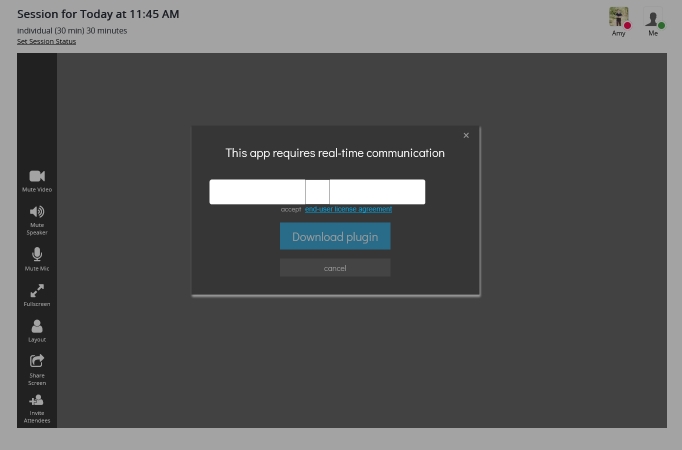
- Click in the white box to insert an check mark for agreement and click download plugin
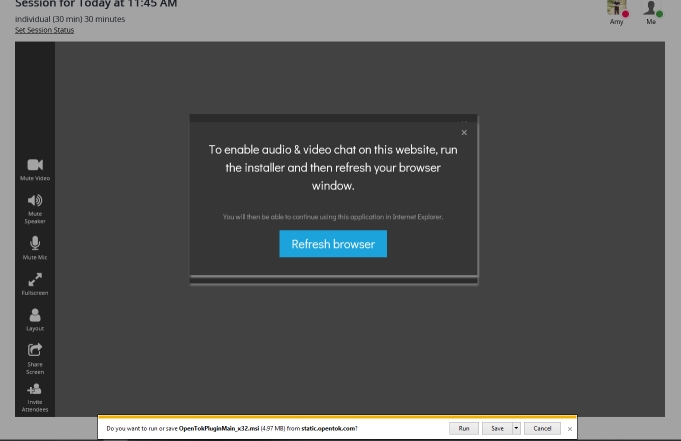
- The next screen that pops up will ask you if you wish to run or save the file, click run.
- Once the install has finished click refresh browser
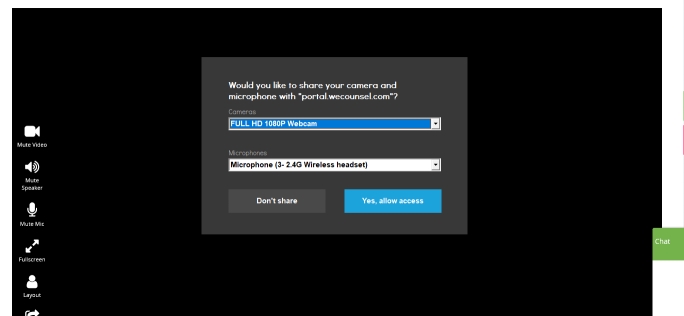
- On the last screen shown bellow make sure the camera and mic are correct and click Yes allow access
Comments
0 comments
Please sign in to leave a comment.