
- Go to Settings > Service Types
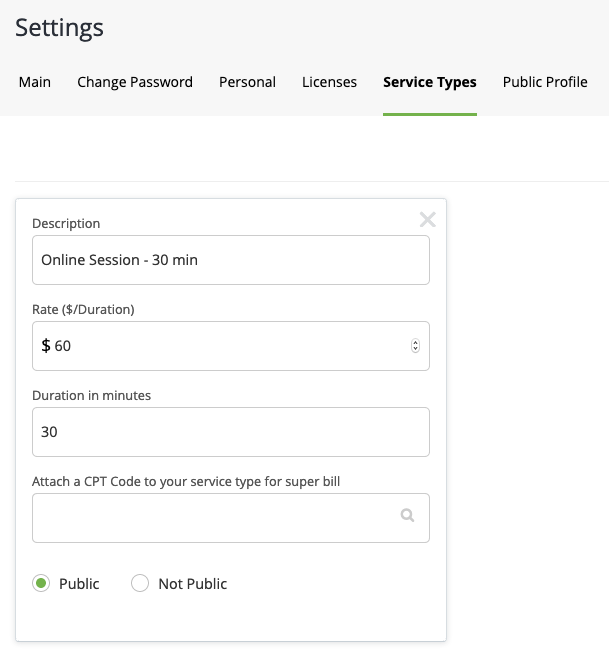
- Click Add Service Type
- Enter Service Type description, rate, and duration in minutes
- Decide whether or not this service type will be publicly viewable by your clients
- Click Update to save changes
You can also add new service types while scheduling a session.
- Go to Manage Schedule
- Hover over Schedule
- Click on the kind of session you want to schedule
- Click Add New Service Type
Comments
0 comments
Please sign in to leave a comment.