-
Go to the "Manage clients" tab
-
Click the button that says "Add Client" In the top right corner.
-
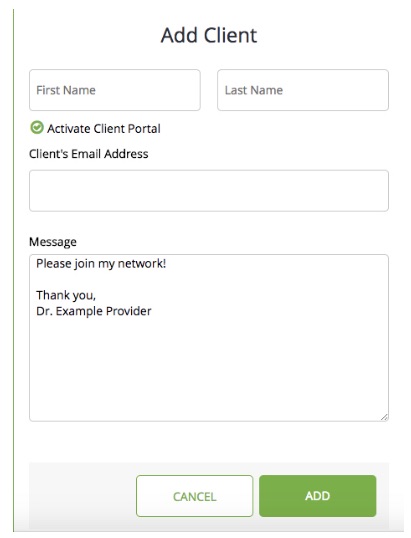
Fill out the client information accordingly (first name, last name, email).
Keep the "Activate Client Portal" option selected if you wish to have video sessions or send messages. -
Click Add
-
The client receives an email inviting them to access their client portal and complete registration.
Adding a Client

Comments
0 comments
Please sign in to leave a comment.