
To set a session's status in your Provider account
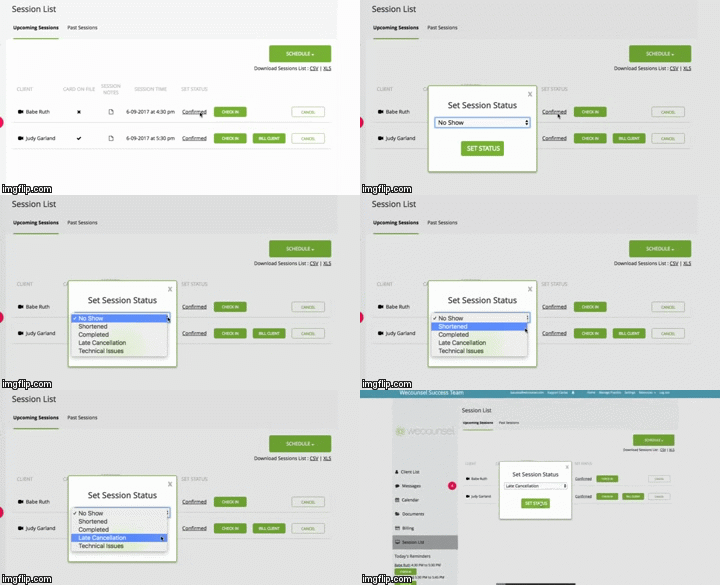
- Go to the Sessions List/Home screen and you will see your upcoming sessions
- One column on the right is labeled Set Status
- Click on the Status link in that column and choose a status
- You can also set the status for a past session on the Past Sessions list
Comments
0 comments
Please sign in to leave a comment.