
Apple only allows iPhone or iPad cameras to be accessed in the Safari browser. Chrome, Firefox, and Microsoft Edge are not supported for iPhone and iPad specifically.
Make sure your iPhone or iPad is able to be on the latest iOS and Safari update
Please see the following instructions to make sure that your settings are set up properly for Safari to access the camera and microphone for your telehealth sessions.
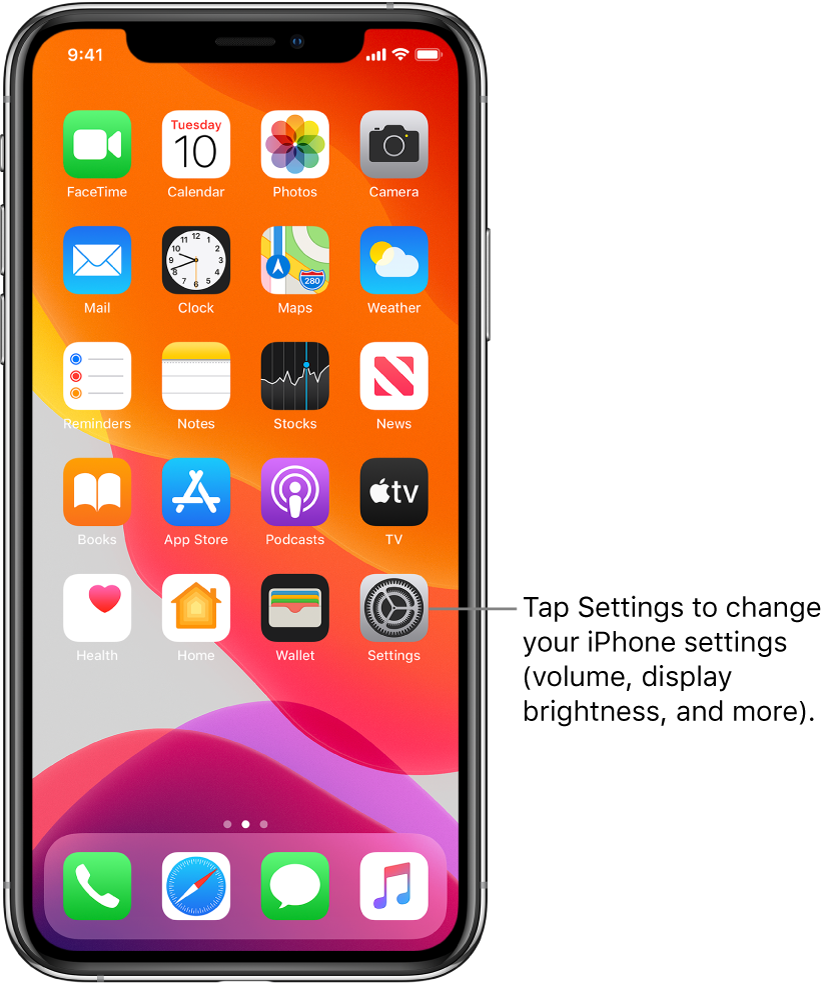
1. Go to the core Settings application on the iOS device
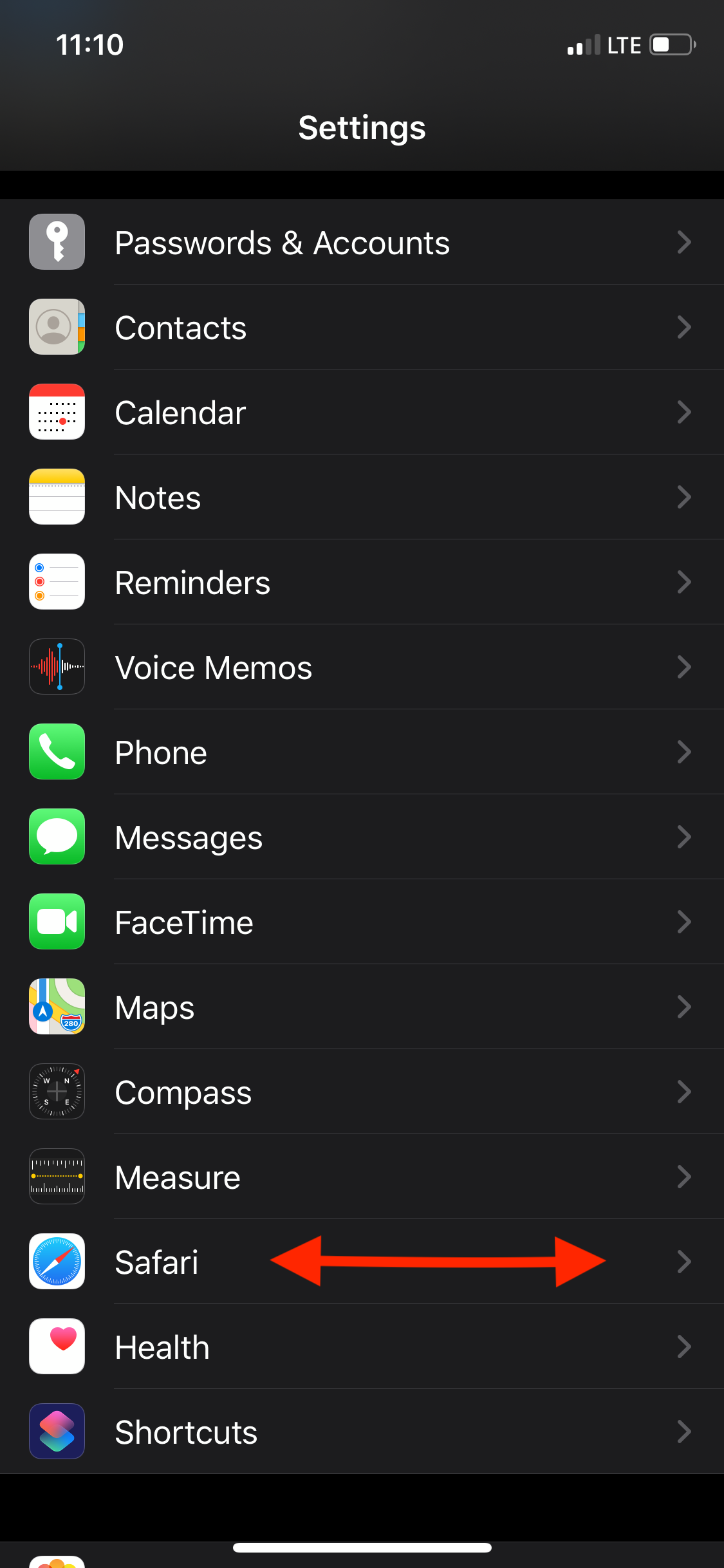
2. Scroll down until you find the Safari application as an option and select it
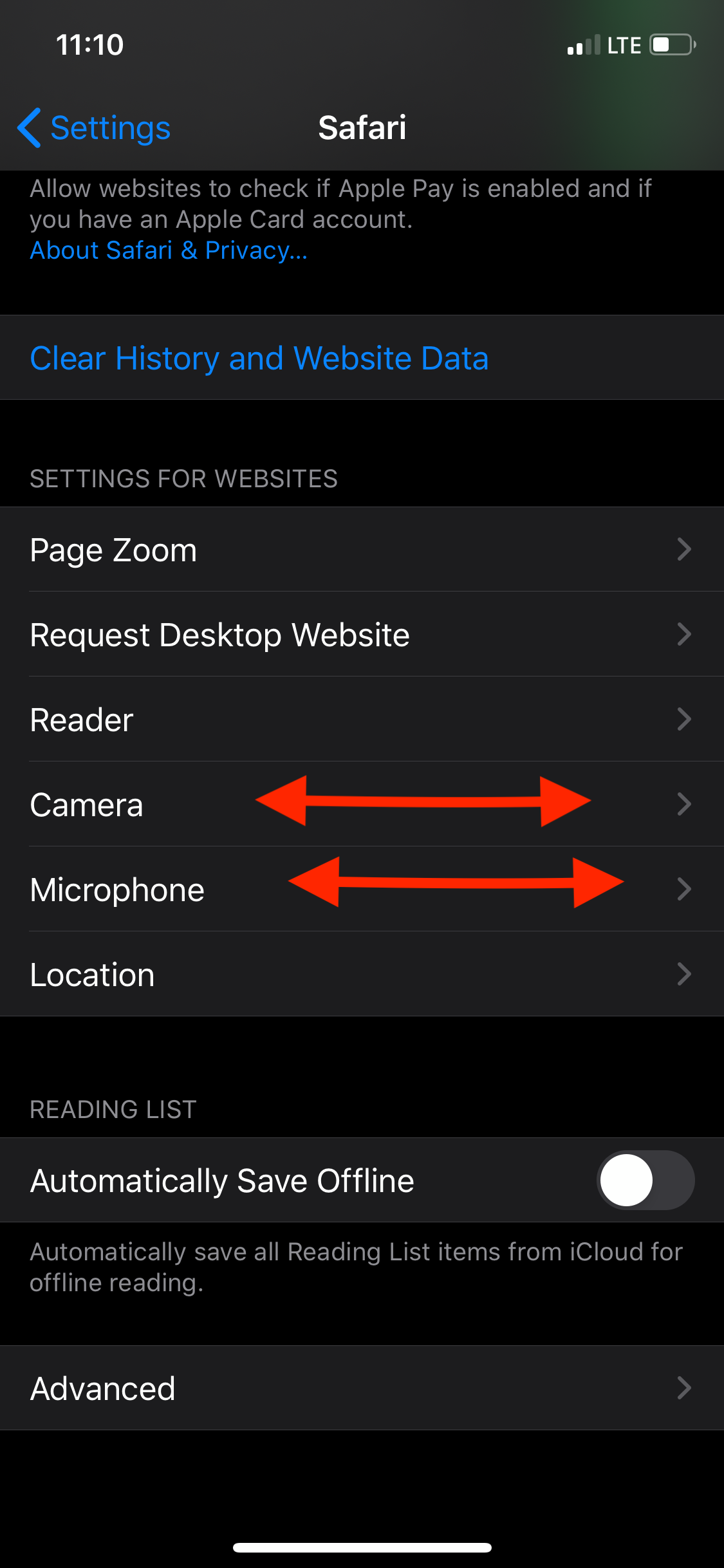
3. Scroll down to the "Settings for Websites" section
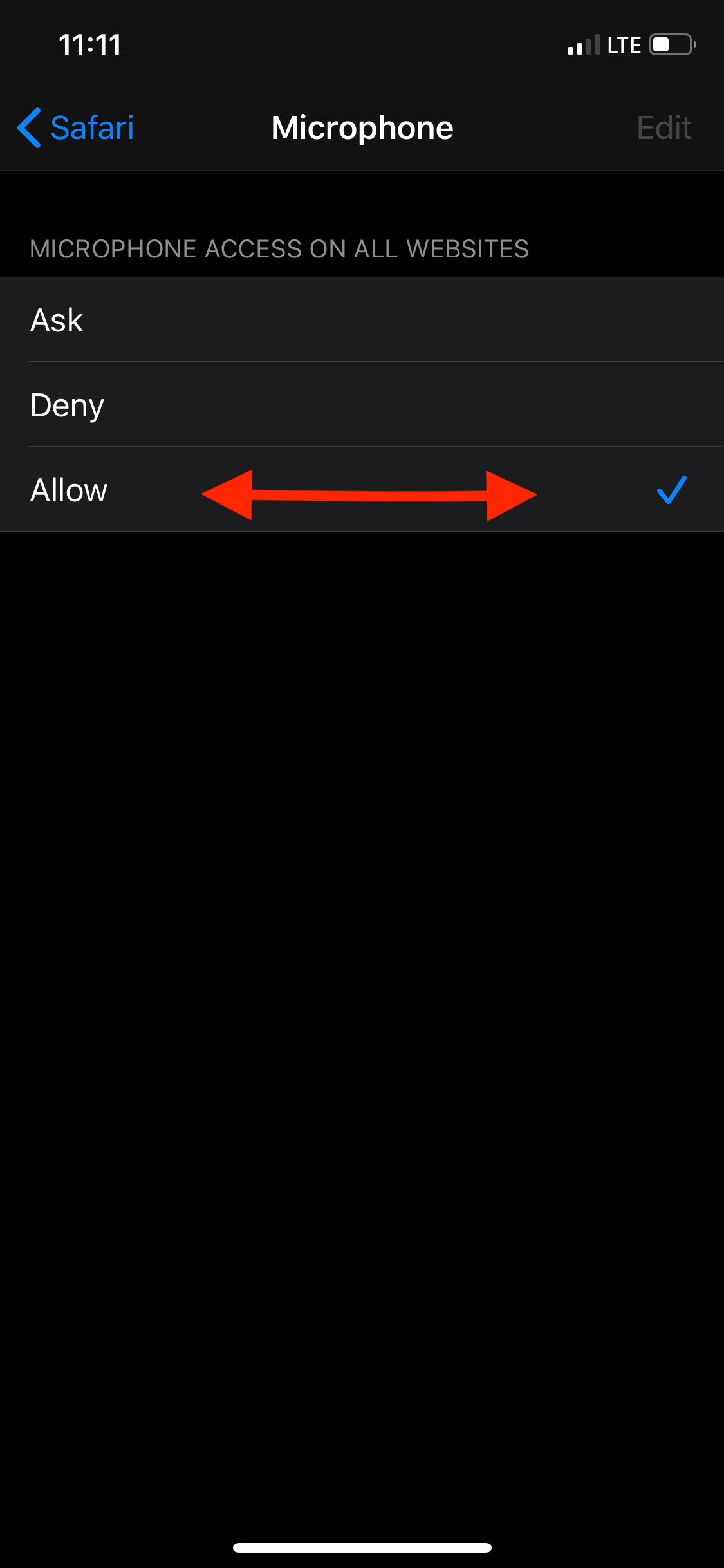
4. There will be a "Camera" option as well as a "Microphone" option
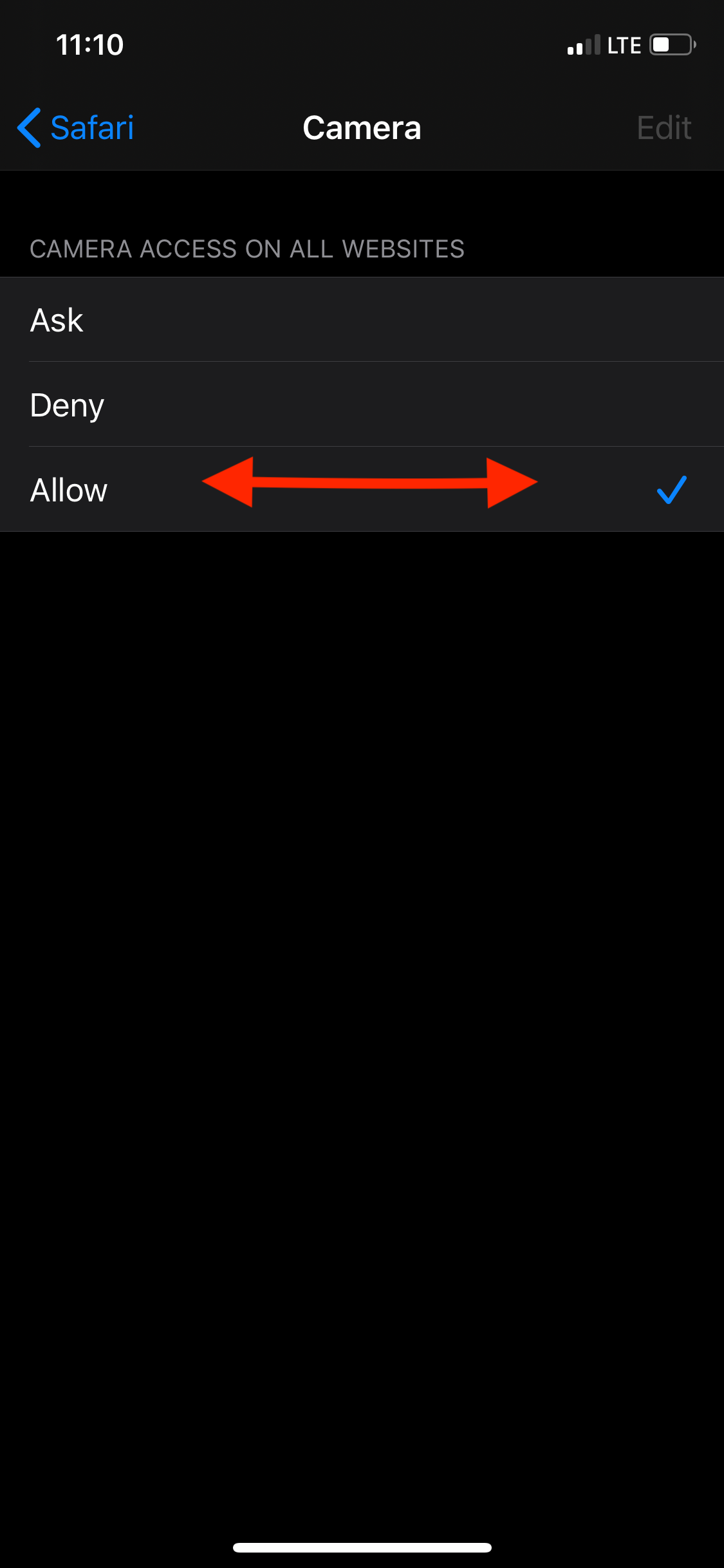
5. Select each individually and select "Allow"
 .
. 
It is advised that all applications other than Safari be closed out from running in the background when joining a video session. If a different application like "Phone," Facetime, or a social media application is running simultaneously, it may block our systems access to Camera or Microphone.
Comments
0 comments
Please sign in to leave a comment.